Unlocked 4G LTE WIFI Wireless USB Dongle from eBay UK

Identify your MSM8916 device — model, variant, chipset verification
Post Reply
Alianmac
Posts: 6
Joined: Sun Oct 11, 2026 7:17 pm

Unlocked 4G LTE WIFI Wireless USB Dongle from eBay UK

Post by Alianmac »

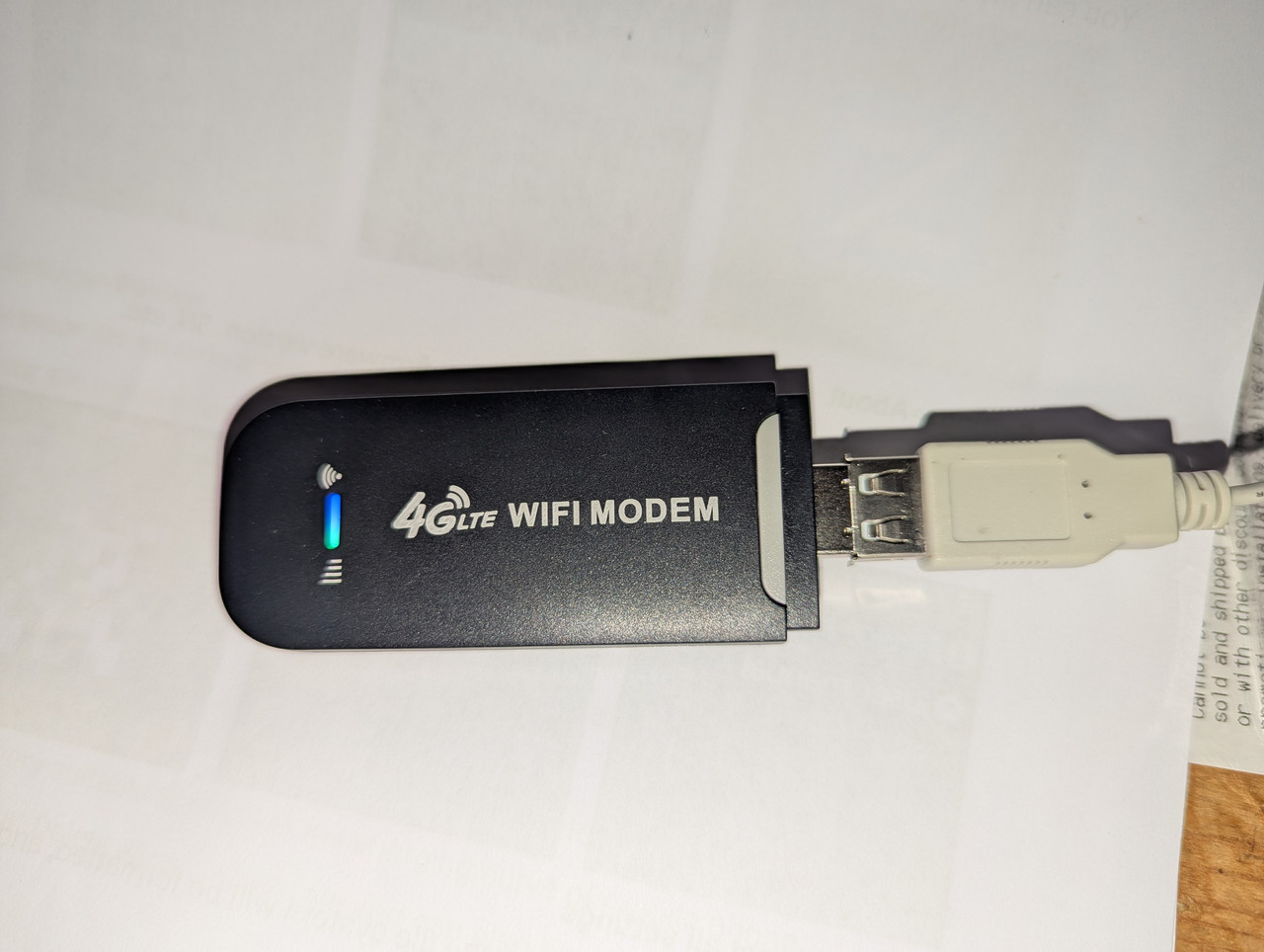
This is the device that arrived with me on Friday from eBay UK:
https://www.ebay.co.uk/itm/358285202467

I purchased this device having looked at Aliexpress (where I have bought devices before).
The main reason is that the listing says: Chip: Qualcomm 8916
Shipping was faster and the price was reasonable.

I have opened the device and provide images below. However, initial testing shows that the device works.
And lsusb returns:

Bus 001 Device 007: ID 05c6:9091 Qualcomm, Inc. Intex Aqua Fish & Jolla C Diagnostic Mode

From what I have learned so far on this forum, ID 05c6 looks promising but ID 05c6:9091 means that it is not yet in EDL mode.

I have tried the advice from https://wvthoog.nl/openstick/ as follows:

Navigate to http://192.168.100.1/#/usbdebug.html (the home page was http://192.168.100.1/#/dashboard

Result:
"OOPS!
All rights reserved wallstreetcn (https://wallstreetcn.com/)
The webmaster said that you can not enter this page...
Please check that the URL you entered is correct, or click the button below to return to the homepage."


So, I am guessing that the developers do not like people using Wim's approach.

I am hoping for advice on which debugging points to short out as a result.

Below is the first image of seven. I do not know if this link will work.
Image
felix
Site Admin
Posts: 22
Joined: Sat Oct 04, 2025 4:48 pm

Re: Unlocked 4G LTE WIFI Wireless USB Dongle from eBay UK

Post by felix »

Hello Alianmac,
once you're logged into the web interface, open the hidden debug page:

http://192.168.100.1/usbdebug.html not http://192.168.100.1/#/usbdebug.html

That's what unlocks ADB access.

After enabling it, re-plug the stick so it comes back up with ADB active, then check on your PC:

adb devices

If the stick shows up there, you can reboot into EDL mode with:

adb reboot edl

You'll know it worked when lsusb reports 05c6:9008 (Qualcomm QDLoader).
The stick gives no other feedback, so that's the only way to tell.

Let me know whether the debug page was there
that alone is a useful hint about which hardware you've got.

Hope it helps!
Greetings - Felix
Alianmac
Posts: 6
Joined: Sun Oct 11, 2026 7:17 pm

Re: Unlocked 4G LTE WIFI Wireless USB Dongle from eBay UK

Post by Alianmac »

Thank you for the prompt rely.

Re-reading my original post, I realise that I have missed out a key bit of information.

The first thing that I tried was to navigate to http://192.168.100.1/usbdebug.html

I did this before trying http://192.168.100.1/#/usbdebug.html

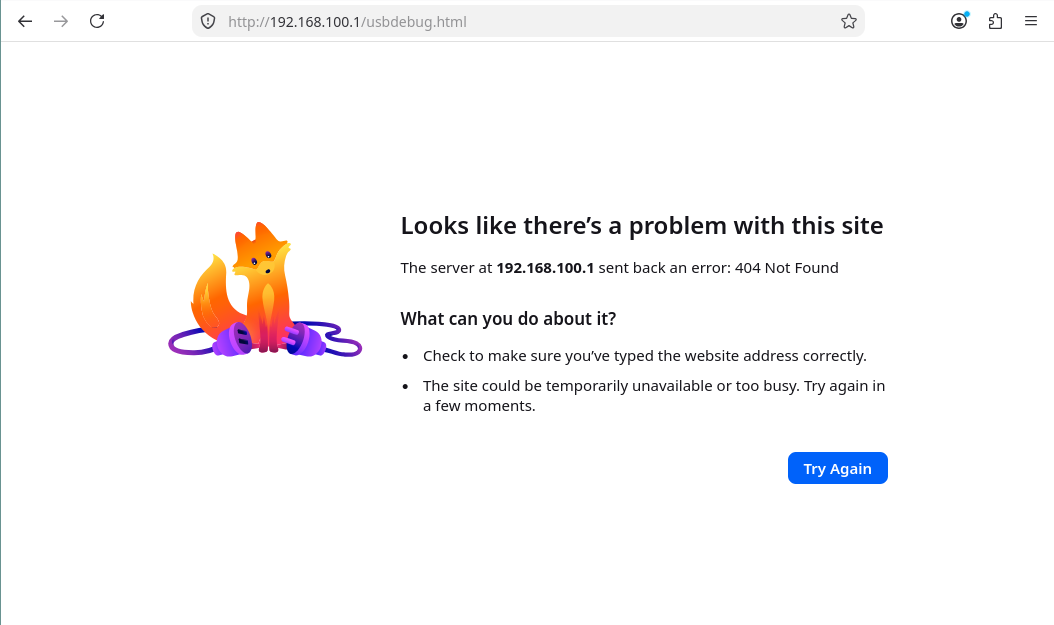
The response that I received was: "The server at 192.168.100.1 sent back an error: 404 Not Found"

That is why I tried the address http://192.168.100.1/#/usbdebug.html. I guessed (incorrectly) that the structure of the internally hosted website had been changed.
Alianmac
Posts: 6
Joined: Sun Oct 11, 2026 7:17 pm

Re: Unlocked 4G LTE WIFI Wireless USB Dongle from eBay UK

Post by Alianmac »

Also, I tried to link to images on my Google Drive. This appears not to work. Do you have any suggestions about how best to include images please?
felix
Site Admin
Posts: 22
Joined: Sat Oct 04, 2025 4:48 pm

Re: Unlocked 4G LTE WIFI Wireless USB Dongle from eBay UK

Post by felix »

Well, that's weird, on the sticks I know, that page was the key to enabling ADB access.
Maybe you got a newer firmware revision where they removed it.

Before going for the test points, try "adb devices" anyway, just in case ADB is already active.
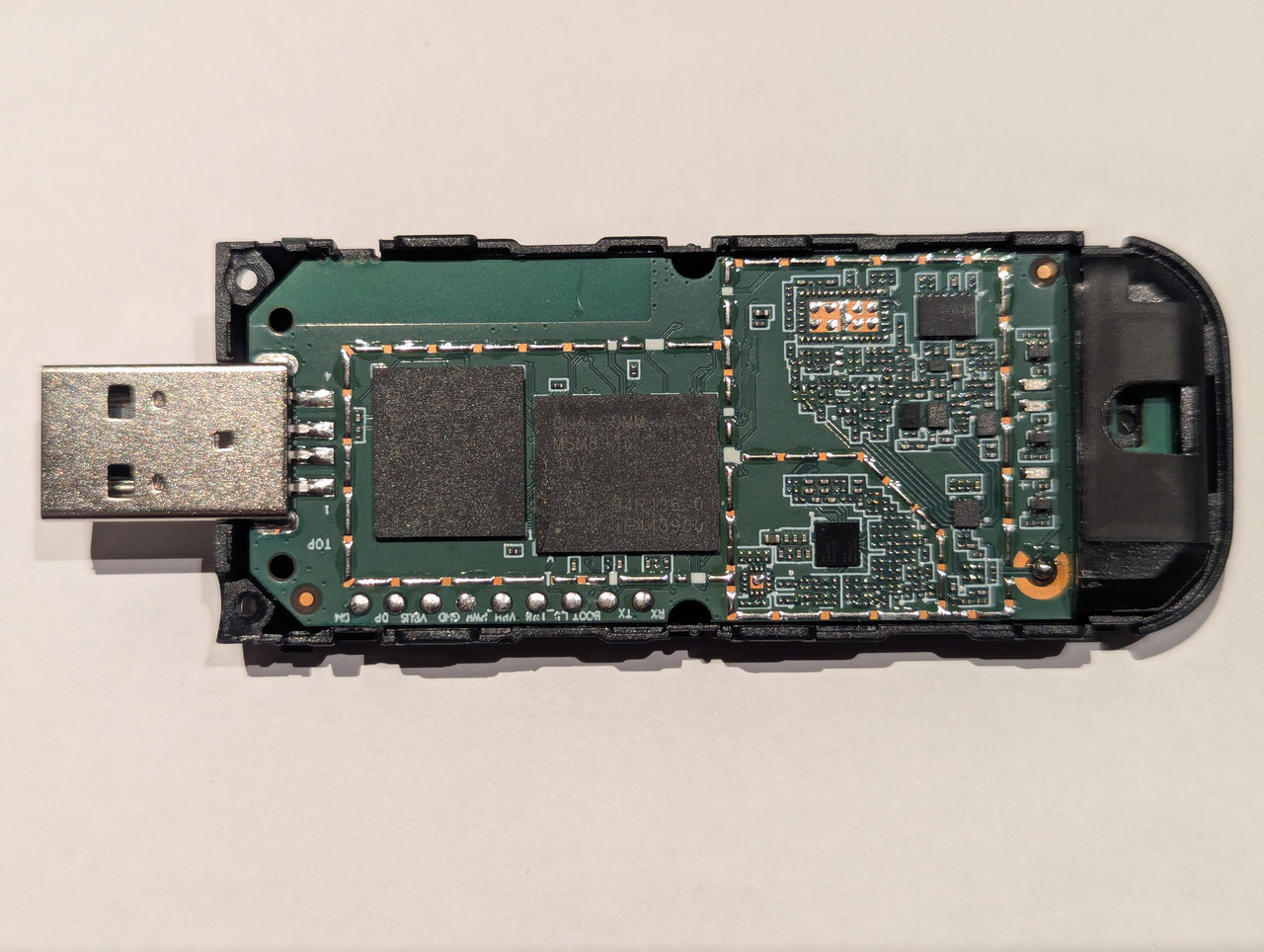
If nothing shows up, post photos of both sides of the PCB and we'll look for the EDL test points.
Or glosos did a great job by showing how to get into edl mode, try this: viewtopic.php?t=11


About the pictures: a normal Google Drive link points to the preview page, not the image itself,
so the forum can't embed it. Set the file to "Anyone with the link", take the file ID
(the part between /d/ and /view) and use:

Code: Select all

[img]https://drive.google.com/uc?export=view&id=FILE_ID[/img]
If that doesn't work, upload to an image host like imgur and use the direct link (ending in .jpg/.png).

Greetings, Felix
Alianmac
Posts: 6
Joined: Sun Oct 11, 2026 7:17 pm

Re: Unlocked 4G LTE WIFI Wireless USB Dongle from eBay UK

Post by Alianmac »

It would be unusual for me if I bought something for a project that worked as intended the first time that I tried it.

Before I try to post the images of the board, this is a screenshot of what I get when I browse to http://192.168.100.1/usbdebug.html

Image

I am doing this to test whether I have got the permissions on the images correct in my Google Drive but also to allow others to check that I am not doing anything wrong at this stage.

I also tried adb devices and this is what I get:

Code: Select all

$ adb devices
* daemon not running; starting now at tcp:5037
* daemon started successfully
List of devices attached
0       device
Alianmac
Posts: 6
Joined: Sun Oct 11, 2026 7:17 pm

Re: Unlocked 4G LTE WIFI Wireless USB Dongle from eBay UK

Post by Alianmac »

And here is a gallery of photos for the USB stick itself:

Plugged in and working:
Image

Label underneath rear cover:
Image

View with top cover removed:
Image

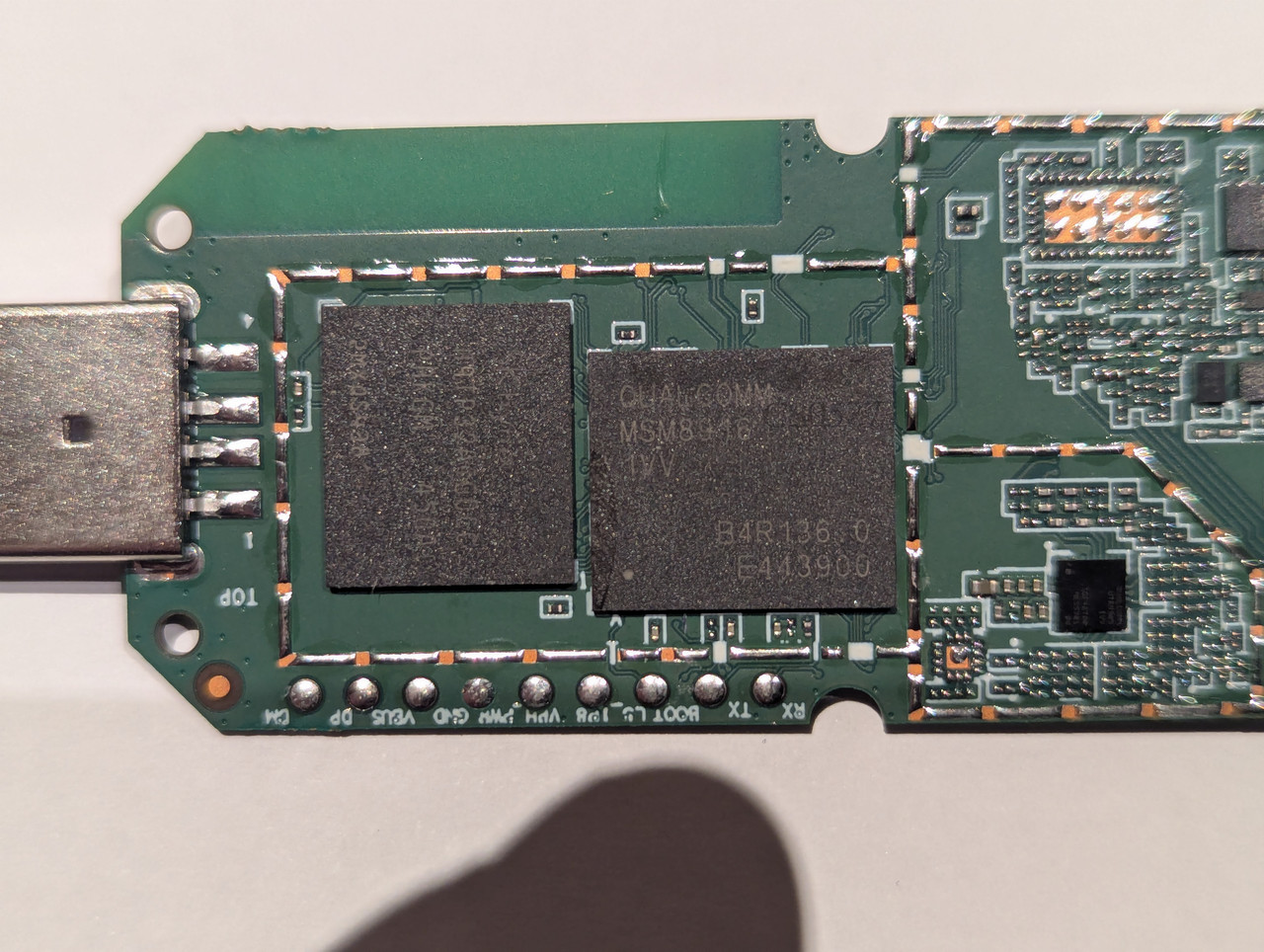
Convincing myself that it is an MSM8916:
Image

Simcard (opposite) side of board:
Image
Post Reply